
DronesWear2.1.0 - Get APK
You'll be able to download in few seconds.
Publisher Description

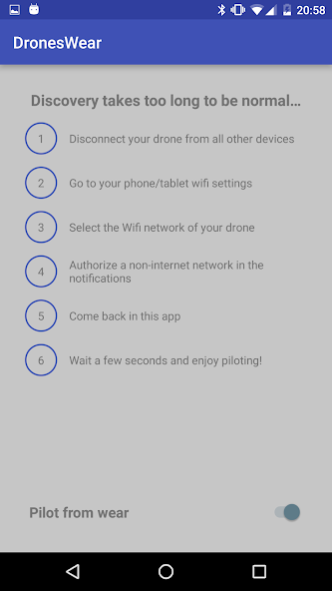

With this app you can control some Parrot drones and pilot them with your Android wear device.
Usage
1. Connect your phone to the drone's Wifi.
If an Android notification asks you if you want to stay connected even
if there is no internet connection, please answer yes
.
2. Open the app on your phone and on your watch (no precise order required).
3. Wait for the app to connect to your drone (a message will inform you about the status)
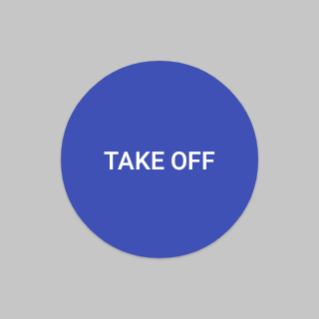
4. Now that you're connected, the action button is displayed on the watch.
5. Just move your wrist gently and see how the drone moves :)
6. For the flying drones, you can change the orientation and altitude with a joystick (up and down for altitude, right and left for orientation)
If disconnections appear to often, be sure that your drone is on a 5ghz Wifi
(if your country laws authorize it). You can change the Wifi band of your drone with the official Parrot app FreeFlight3.
Please also note that connection on BLE drones might take up to 30 seconds.
You can control these Parrot drones:
- Bebop
- Bebop 2
- Jumping Sumo
- Jumping Race
- Jumping Night
- RollingSpider
- Airborne Cargo
- Airborne Night
With the flying drones, you can take off and land,
and also control the drone on pitch and roll
(make them fly forward, backward, on left and right). You have also a joystick on the second page (on your watch). With this joystick, you can control the altitude and orientation of the drone.
On the handheld device, you can at any time stop the propellers
in case of emergency.
You can pilot the jumping drones with the watch. You can also make them jump.
Security
At any time, you can stop piloting the drone with the *pilot from wear* switch button
on your phone. Switching it off will make the flying drones hover
and the jumping ones stop moving.
The code of this app is fully open sourced. You can found it here: https://github.com/Parrot-Developers/DronesWear
This app uses the Parrot Drone SDK (version 3.8.1).
Documentation of this SDK is available here: http://developer.parrot.com/
About DronesWear
The company that develops DronesWear is Sousoum Prod.. The latest version released by its developer is 2.1.0.
To install DronesWear on your Android device, just click the green Continue To App button above to start the installation process. The app is listed on our website since 2017-09-05 and was downloaded 0 times. We have already checked if the download link is safe, however for your own protection we recommend that you scan the downloaded app with your antivirus. Your antivirus may detect the DronesWear as malware as malware if the download link to com.sousoum.droneswear is broken.
How to install DronesWear on your Android device:
- Click on the Continue To App button on our website. This will redirect you to Google Play.
- Once the DronesWear is shown in the Google Play listing of your Android device, you can start its download and installation. Tap on the Install button located below the search bar and to the right of the app icon.
- A pop-up window with the permissions required by DronesWear will be shown. Click on Accept to continue the process.
- DronesWear will be downloaded onto your device, displaying a progress. Once the download completes, the installation will start and you'll get a notification after the installation is finished.
Program Details
System requirements
Download information
Pricing
Version History
version 2.1.0
posted on 2017-09-05
Updated dependencies
Fixed the bug where piloting from the wear was not working
Fixed display bug where the connection screen and the connected screen were displayed at the same time
version 1.2.0
posted on 2016-02-14
DronesWear is now compatible with MiniDrones ! Yay!,Control your RollingSpider, Airborne Cargo and Airborne Night with your watch !!!
Disclaimer
External Download
We do not host DronesWear on our servers. We did not scan it for viruses, adware, spyware or other type of malware. This app is hosted by Galad and passed their terms and conditions to be listed there. We recommend caution when installing it.
The APK Download link for DronesWear is provided to you by apps112.com without any warranties, representations or guarantees of any kind, so access it at your own risk.
If you have questions regarding this particular app contact the publisher directly. For questions about the functionalities of apps112.com contact us.
